
This guide highlights changes required for migrating APIs from v1 (legacy version) to v2024-09 (latest version)
Getting ready for version 2024-09
Fetch new access_token and setup authorization scopes for the new version.
Fetch Your New Access Token
Follow the steps to setup an integration that allows you to access Public API(2024-09) via the generated access_token
-
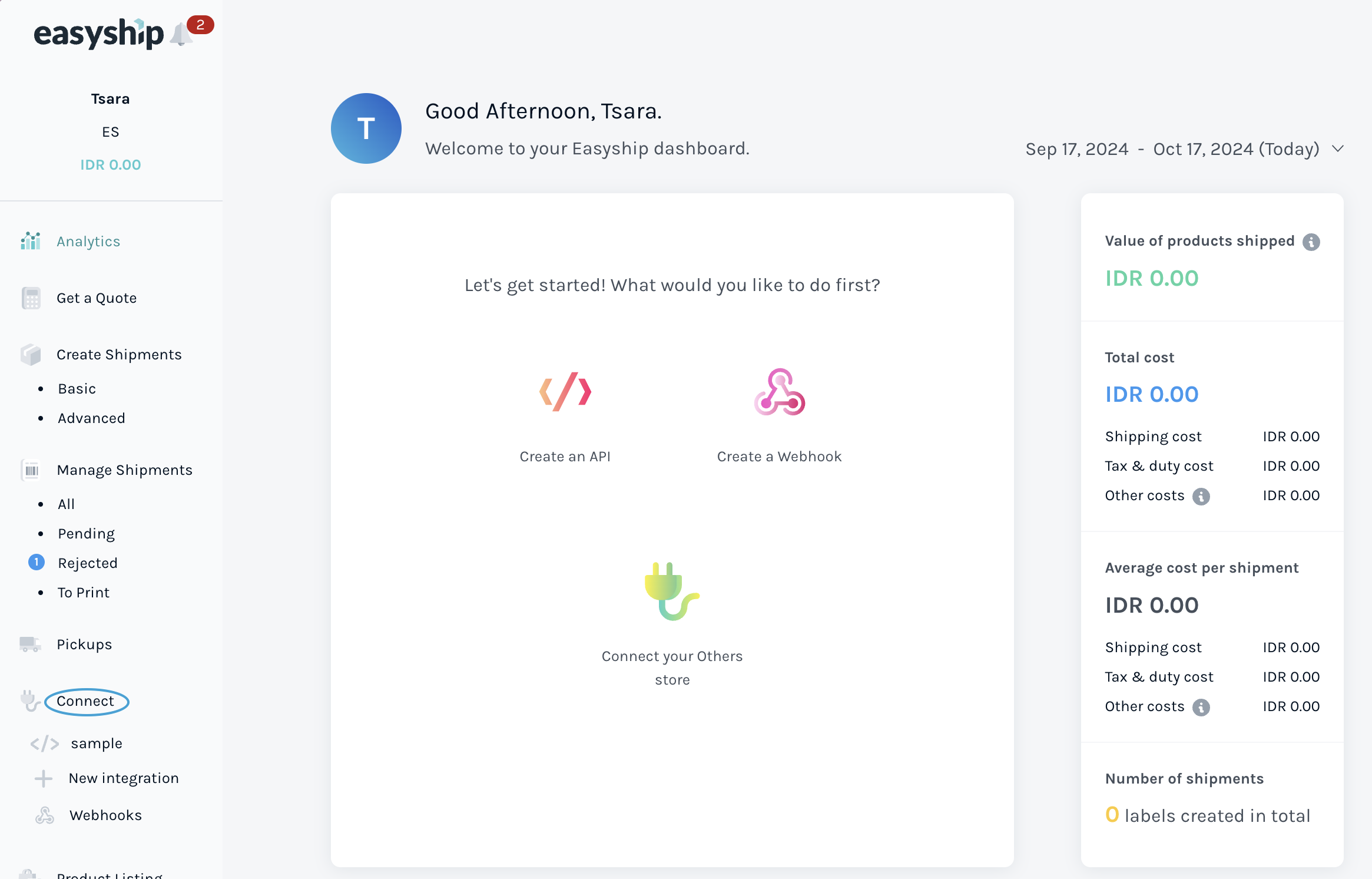
Click Connect on the sidebar from easyship dashboard.
-
Click API Integration on the bottom of the page.
-
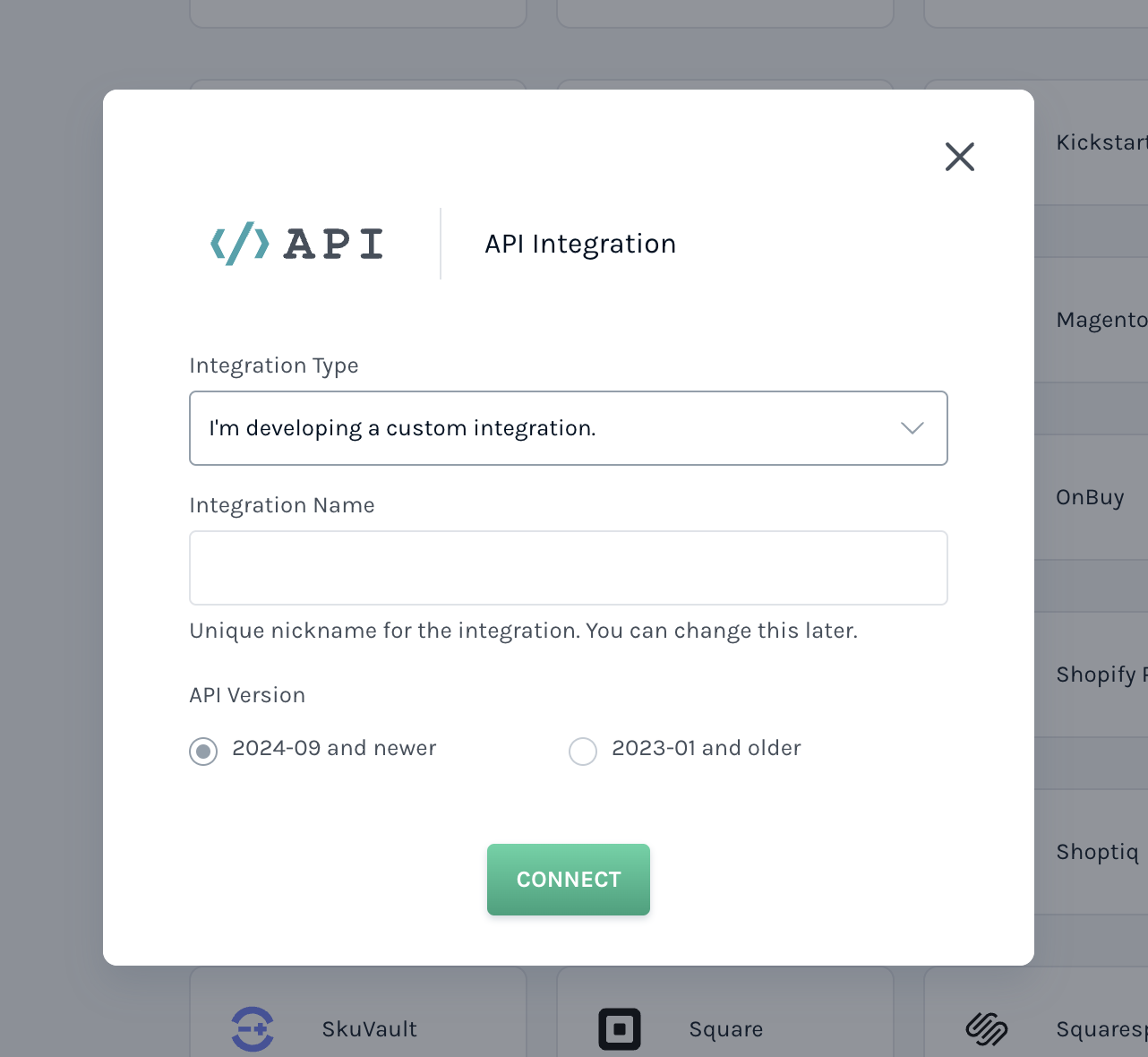
When the popup is shown, select "I'm developing a custom integration." from the Integration Type dropdown options.
-
Select API version "2024-09 and newer".
-
Click "Connect" button.
-
The generated Access Token with the Standard Scopes are generated.
Easyship Public APIs for 2024-09 and newer versions will only work with the access token created in this way.
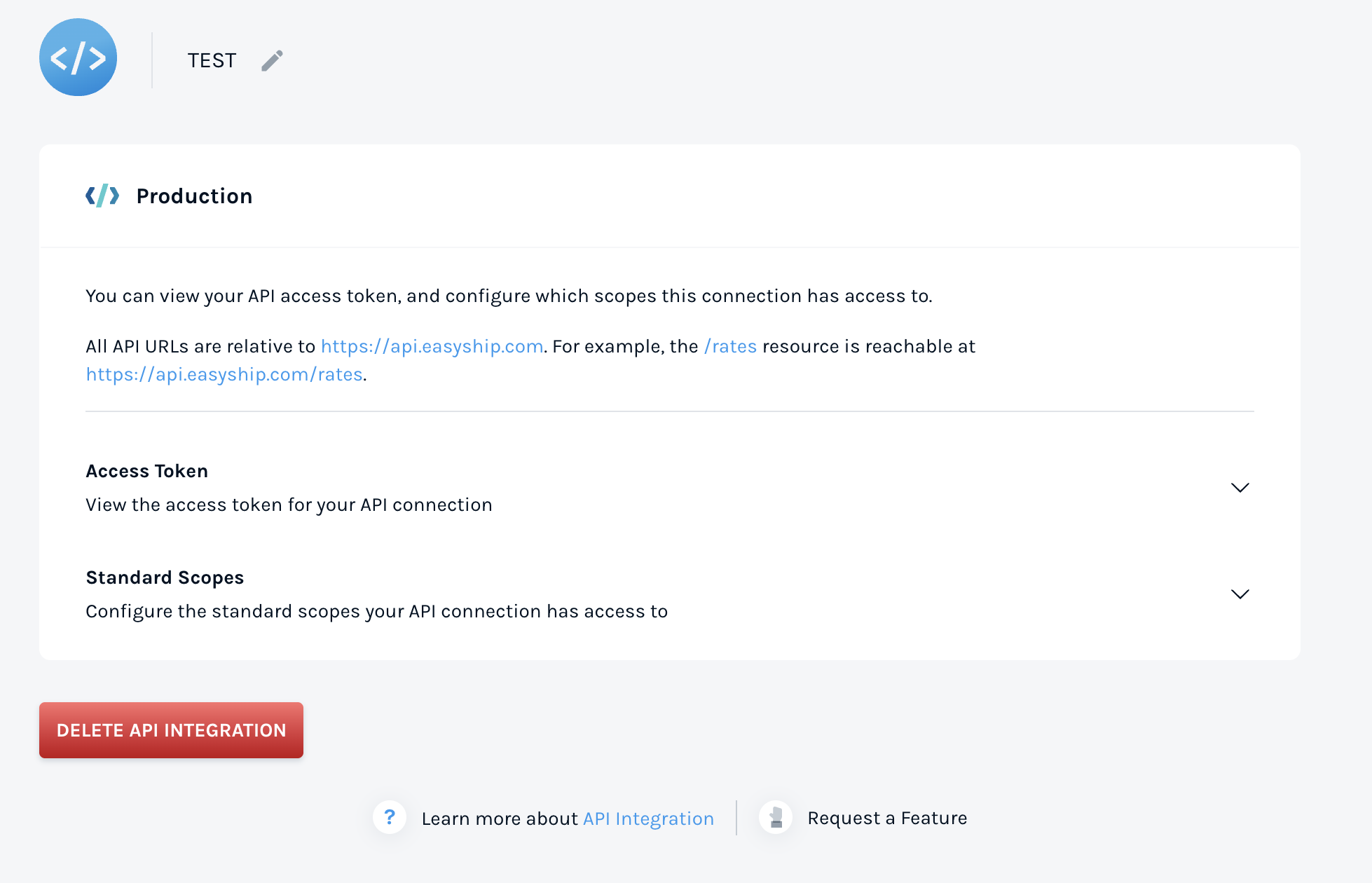
The scopes attached to the access_token can be updated on this screen.
More details on Scopes
Migration Details
Domain - https://public-api.easyship.com/
Version - 2024-09
📦 Pickup APIs
The newer version of the the Pickup APIs involve changes in request body, response structure. The details for the same can be found below
| Action | V1 | 2024-09 |
|---|---|---|
| Read | GET /pickup/v1/pickup_slots/:courier_id | GET /2024-09/courier_services/:courier_service_id/pickup_slots |
| Create | POST /pickup/v1/pickups | POST /2024-09/pickups |
Pickup Slots - List available pickup slots
Use this API to retrieve a list of pickup slots in local time for the coming seven days.
Old Endpoint: GET /pickup/v1/pickup_slots/:courier_id
New Endpoint: GET /2024-09/courier_services/:courier_service_id/pickup_slots
Request Comparison
V1 Request Body
GET https://api.easyship.com/pickup/v1/pickup_slots/:courier_id/pickup_slots?origin_address_id=origin_address_id2024-09 Request Body
GET https://public-api-staging.easyship.com/2024-09/courier_services/courier_service_id/pickup_slots?origin_address_id=origin_address_idMapping from older version to new version
| Field/Attribute | V1 | 2024-09 |
|---|---|---|
| Courier ID | courier_id (string) | courier_service_id(string) |
| Origin Address ID | origin_address_id(string) | origin_address_id(string) |
Response Structure (2024-09)
Checkout the updated response structure - List Available Pickup Slots
Schedule/Create Pickup
Create or schedule a Pickup with the desired courier
Only available if your courier provides pickup options.
Old Endpoint: POST /pickup/v1/pickups
New Endpoint: POST /2024-09/pickups
Request Comparison
V1 Request Body
{
    "courier_id": "01563646-58c1-4607-8fe0-cae3e33c0001",
    "preferred_date": "2022-02-23",
    "preferred_min_time": "2022-02-23T10:00",
    "preferred_max_time": "2022-02-23T13:00",
    "easyship_shipment_ids": [
        "ESSG10006001"
    ],
    "pickup": {
        "easyship_shipment_ids": [
            "ESSG10006001"
        ],
        "preferred_min_time": "2022-02-23T10:00",
        "courier_id": "01563646-58c1-4607-8fe0-cae3e33c0001",
        "preferred_max_time": "2022-02-23T13:00",
        "preferred_date": "2022-02-23"
    }
}
2024-09 Request Body
{
  "courier_service_id": "01563646-58c1-4607-8fe0-cae3e33c0001",
  "selected_date": "2022-02-23",
  "selected_from_time": "12:00",
  "selected_to_time": "16:00",
  "easyship_shipment_ids": [
    "ESSG10006001"
  ]
}
Mapping from older version to new version
| Field/Attribute | V1 | 2024-09 | Notes |
|---|---|---|---|
| Courier ID | courier_id (string) | courier_service_id (string) | Use courier_service_id in place of courier_id |
| Easyship Shipment ID | easyship_shipment_ids (array) | easyship_shipment_ids (array) | Unchanged |
| Selected Date | selected_date (string) | selected_date (string) | Unchanged |
| Preferred Date | preferred_date (string) | selected_date (string) | Use selected_date in place of preferred_date |
| Preferred Min Time | preferred_min_time (string) | Deprecated ❌ | Use selected_from_time in place of preferred_min_time |
| Preferred Max Time | preferred_max_time (string) | Deprecated ❌ | Use selected_to_time in place of preferred_max_time |
| Selected From Time | selected_from_time (string) | selected_from_time (string) | Unchanged |
| Selected To Time | selected_to_time (string) | selected_to_time (string) | Unchanged |
| Time Slot ID | ❌ | time_slot_id (string) | Use either of time_slot_id OR (selected_from_time & selected_to_time) |
Mapping Details
time_slot_id can be fetched from List Available Pickup Slots . Either time_slot_id or selected_from_time& selected_to_time can be used to specify pickup timings
Response Structure (2024-09)
Checkout the updated response structure - Create a Pickup
Directly Handover - Mark as directly handed over
API Endpoint POST /pickup/v1/direct_handover
This endpoint will not be available as part of 2024-09 version.